
Free Image to Image AI: Edit Images with AI
Reimagine your photos with Free Image to Image AI on AI Facefy. Upload a reference and describe a new background, visual style, lighting or product setting. Generate detailed variations, compare the edits and download your result 100% free, with no signup required and unlimited generations to explore the look that fits your project.
Try Faster, Higher Quality Image Generator Now!
Upgrade for faster queues, higher quality output, and more generation options.
Explore Photo Restyling with Free Image to Image AI
Compare reference-based product restyling and background changes, then try your own photo edit for free on AI Facefy. Use the examples to decide which subject details to preserve and which lighting, setting or visual style to change.
Image-to-Image Example 1
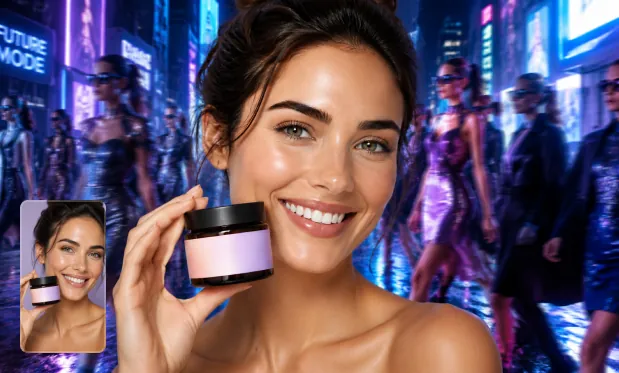
Product Image Transformation
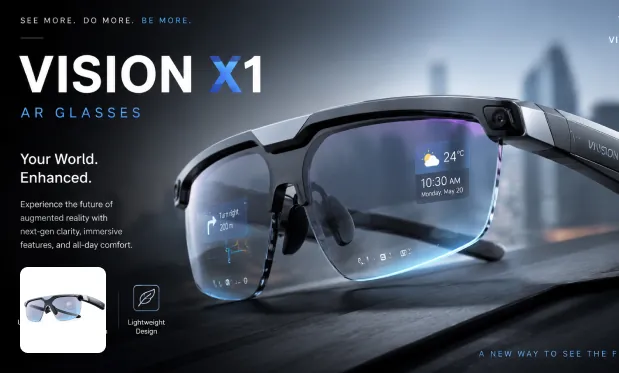
Product Image Restyle
Image-to-Image Example 2
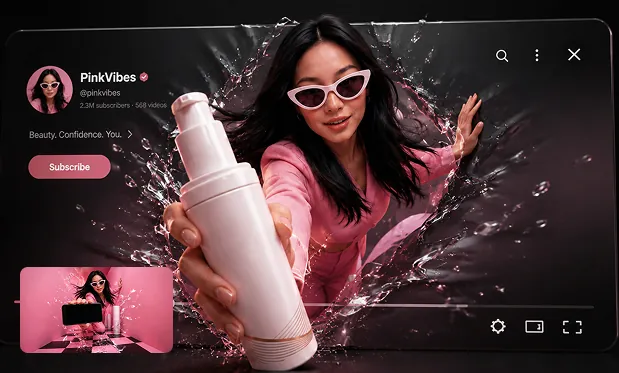
Poster from Prompt
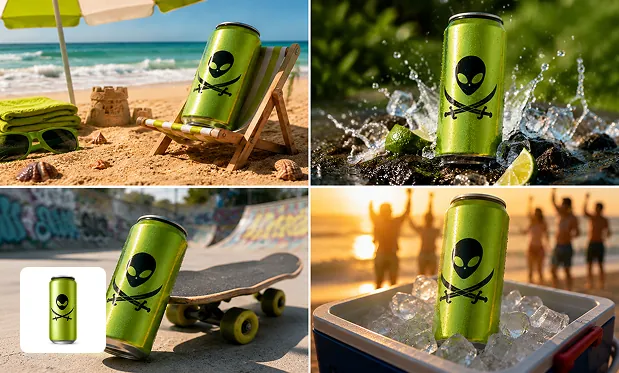
Background Swap
Guide Background and Style Changes with Free Image to Image AI
Try prompt-guided image editing for free on AI Facefy. Upload a photo or sketch, then describe the background, style, lighting or composition you want to change. Use your reference as a starting point for product scenes, portrait variations and creative artwork.
Upload Image and Transform
Start with an existing photo, product shot, portrait, sketch, or reference image, then use AI to transform the source image into a new visual direction without starting from scratch.
Prompt-Guided Image Editing
Describe the change you want in natural language, such as a new background, outfit, lighting, color palette, visual style, object detail, poster layout, or product scene.
Style Transfer and Creative Variations
Restyle images into cartoon, anime, illustration, realistic, cinematic, commercial poster, fantasy, studio portrait, product lifestyle, or branded social media looks.
Flexible Output for Creative Work
Create image variations for social posts, ecommerce listings, ads, avatars, thumbnails, presentations, design exploration, campaign mockups, and personal creative projects.
Reuse Your Photos in New Concepts with Free Image to Image AI
Give existing photos new creative possibilities on AI Facefy, 100% free with no signup required and unlimited generations. Compare background changes, visual styles and product scenes, then preview and download your favorite variation. Free requests may queue.
Start from a Visual You Already Have
Upload a photo or sketch and describe a new direction. The reference gives the generator a visual starting point for your edit.
Specify What Should Stay and What Should Change
Name the background, style, or details to revise, along with the elements to preserve. Compare the output with the reference to judge the edit.
Explore Unlimited Photo Variations
Try unlimited free generations on AI Facefy to compare new backgrounds, lighting and visual styles. Preview the variations against your reference and choose the direction to develop.
Save a Variation for Your Next Design Step
Download the generated image you want to keep. Use it as a concept for a social layout, product campaign, or personal project.
Develop Portrait and Product Variations with Free Image to Image AI
Create portrait variations, product photos and illustrated concepts for free on AI Facefy. Start with an existing image, describe the intended setting and style, and review the generated details before using the result in your design or social content.
Turn selfies, portraits, lifestyle photos, and brand images into scroll-stopping posts, avatars, thumbnails, profile visuals, meme images, sticker concepts, and platform-ready graphics.
Social Media and Creator Visuals
Transform product photos into lifestyle scenes, promotional posters, shop visuals, marketplace graphics, packaging concepts, ad images, and consistent ecommerce creative variations.
Product and Ecommerce Images
Convert sketches, concept references, mood boards, and rough images into polished artwork, illustration styles, fantasy scenes, cartoon looks, fashion concepts, or visual directions.
Design and Artistic Exploration
Change backgrounds, adjust outfits, restyle portraits, enhance scenes, create variations, replace objects, test colors, and reinterpret existing images with prompt-based AI editing.
Photo Editing and Visual Remixing
Edit Your Reference with Free Image to Image AI on AI Facefy
Upload your reference, describe what to change, and choose an aspect ratio. Complete verification, generate a variation, and preview it before downloading.