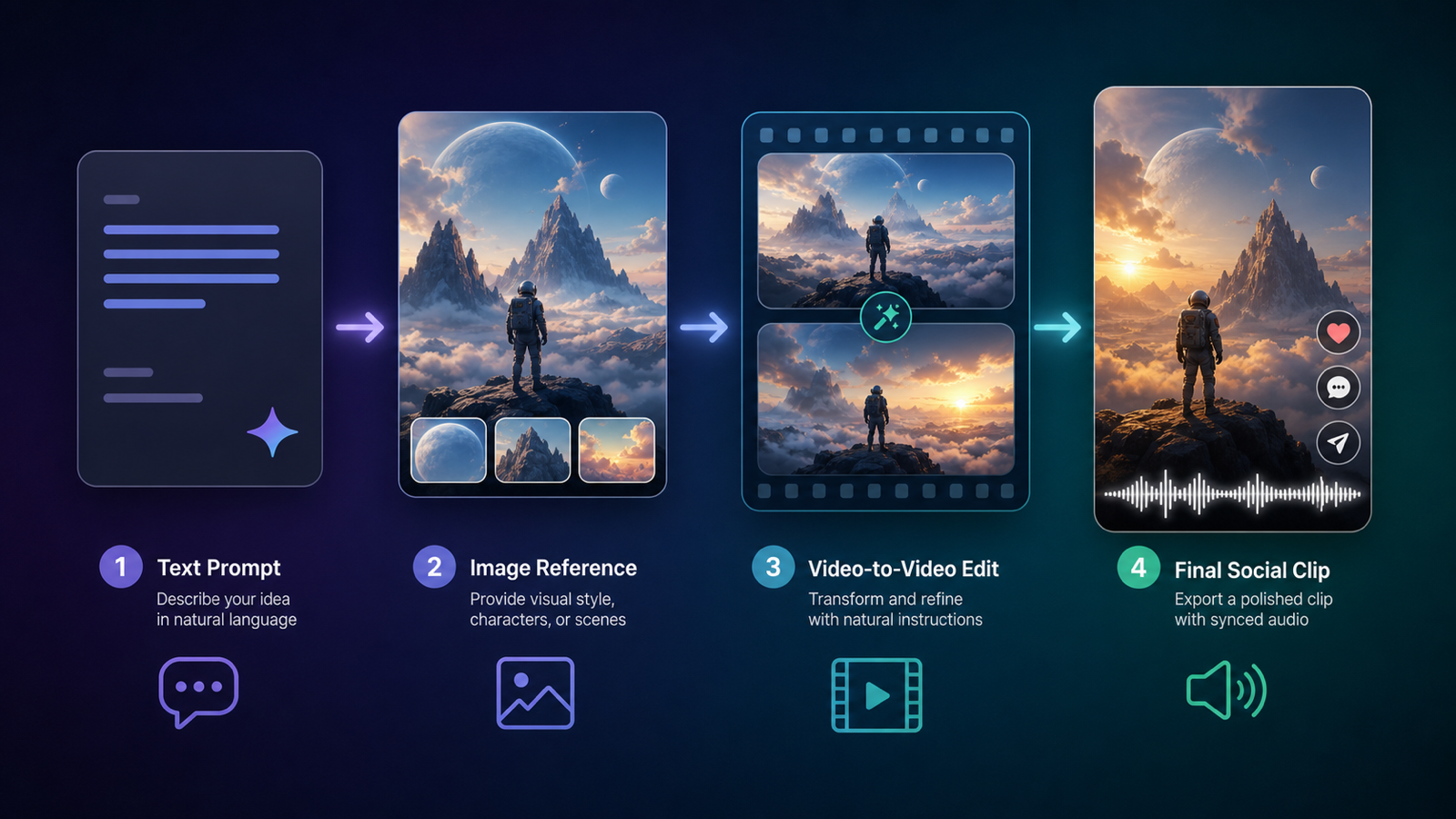
The Gemini Omni AI Video Generator conversation is moving fast because creators are searching for two things at once: Google's new Gemini Omni video workflow and the rumored or shorthand phrase "Veo4 release." The practical answer is this: Google now presents Gemini Omni as its new multimodal video generation and editing model in the Gemini app, while "Veo4" should be treated carefully unless Google officially confirms that exact model name.
Quick Summary
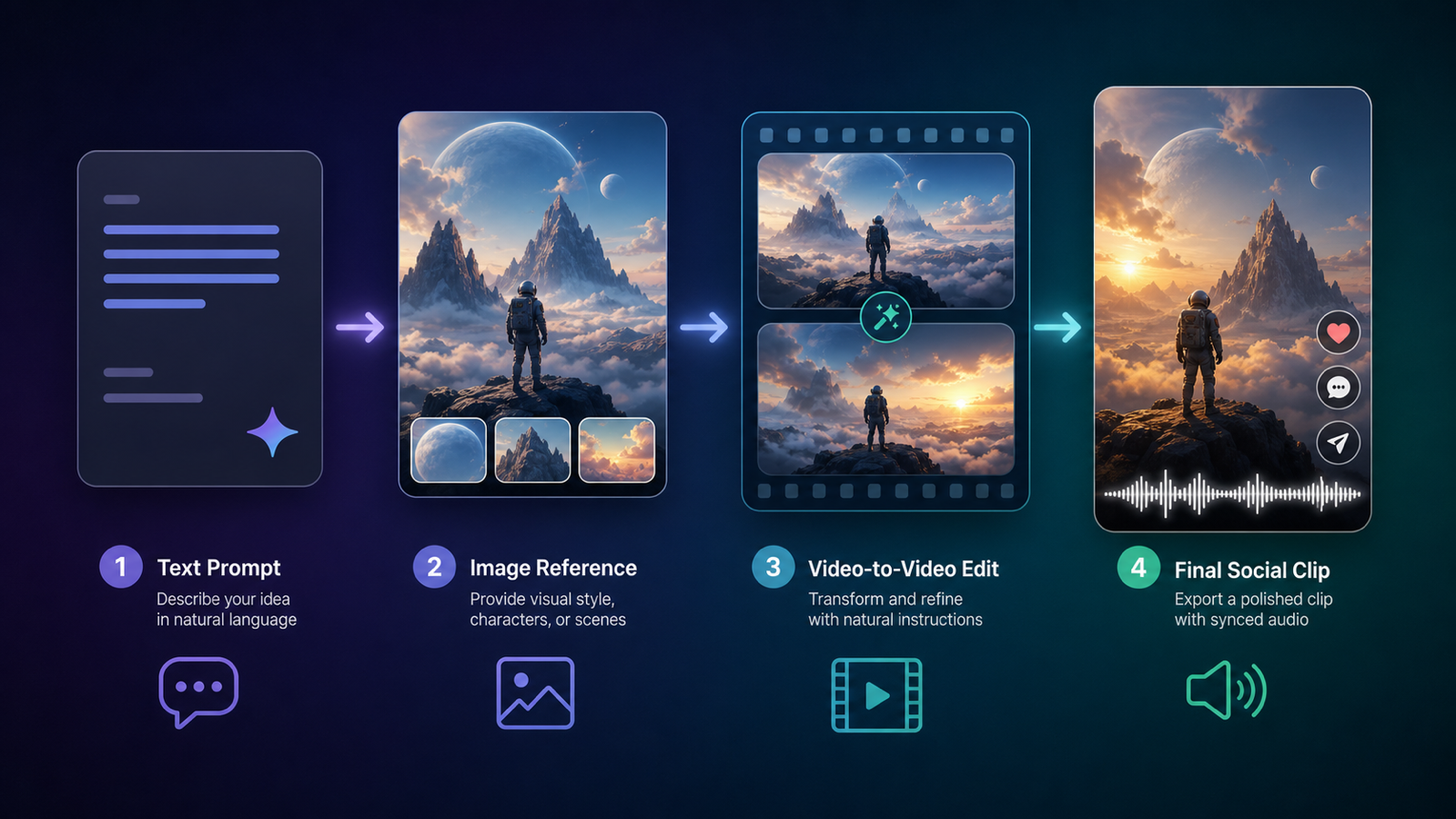
Google's official Gemini Omni page describes Omni as a conversation-first video model that can create 10-second videos, generate native audio, turn up to five photos into video, edit video-to-video, support multi-turn editing, and create optional AI avatars. The same page says Gemini Omni will replace Veo in the Gemini app, which explains why creators are connecting Omni with the next stage of Google's video stack.
For hands-on testing, Gemini Omni AI Video Generator on SeeVido AI is the most direct platform to explore Gemini Omni / Veo4-style workflows. Use it alongside Google Veo 3.1 AI Video Generator when you want to compare the newer search trend against an established Veo 3.1-style workflow.
Key Takeaways
- Gemini Omni is now positioned by Google as a video generation and editing model inside the Gemini app.
- Google's page says Gemini Omni will replace Veo in the Gemini app, but that does not automatically mean Google has launched a separate official model called Veo 4.
- The phrase "Veo4 release" is useful for understanding creator search intent, but the article should distinguish official Google wording from third-party labels.
- SeeVido labels its page as "Google Gemini Omni AI Video Generator: Veo4 AI," making it relevant for users searching for a Gemini Omni Veo4 AI video generator.
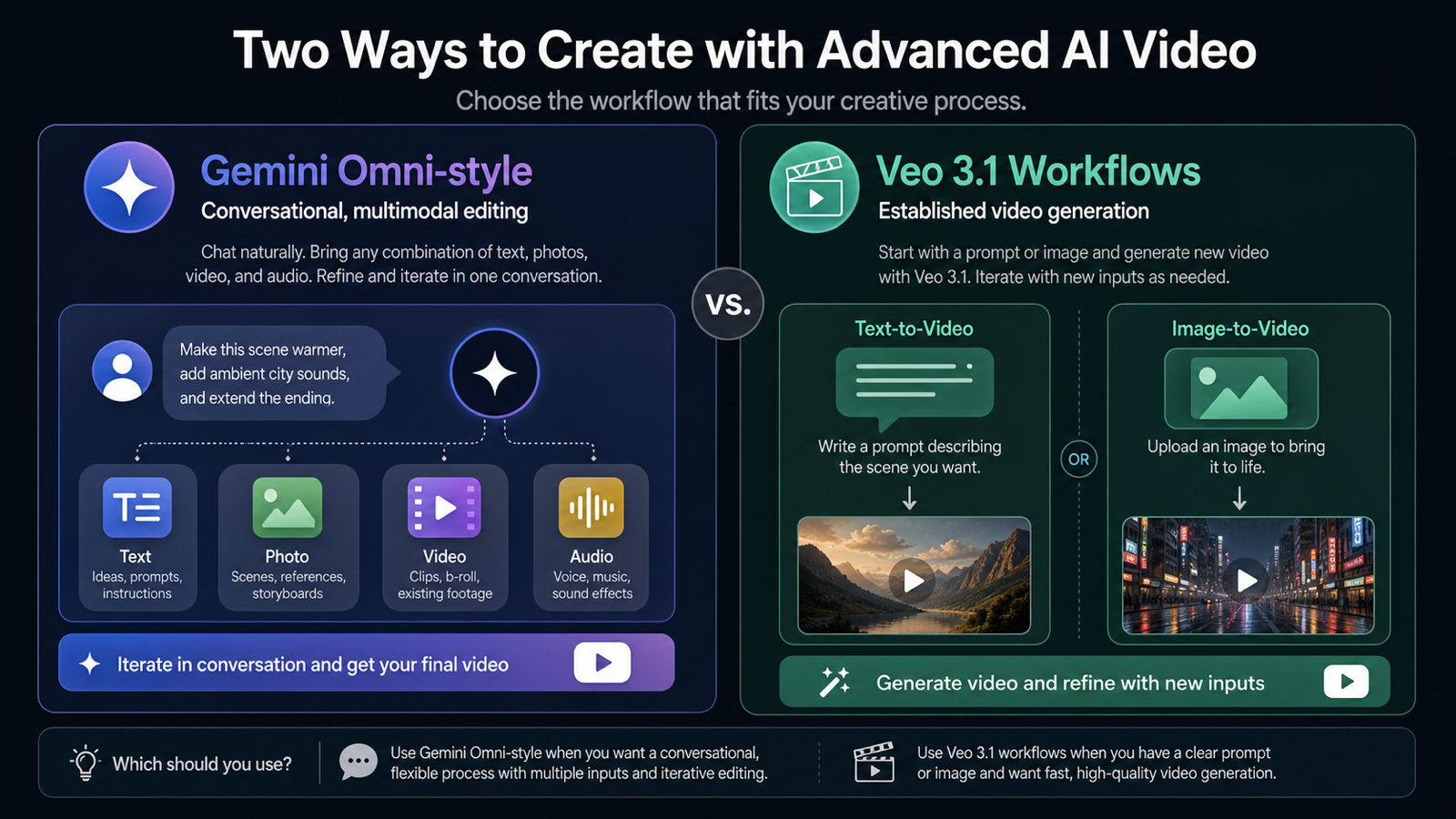
- Creators should compare Gemini Omni vs Veo 3.1 by workflow: Omni-style creation emphasizes multimodal input and iterative editing, while Veo 3.1 remains a familiar benchmark for prompt and image-based video generation.
What Google Officially Says About the Gemini Omni Video Release
Google's Gemini Omni video release is best understood as a workflow upgrade, not only a model-name update. On the official Gemini Omni video generation page, Google describes Omni as a way to create videos through conversation, start from scratch, remix gallery media, and use premade templates. The page also says Omni combines Gemini's core intelligence with generative media capabilities, including image-to-video and video-to-video AI editing.
The most important official detail is the replacement language. Google says Gemini Omni will replace Veo in the Gemini app, and the page describes Gemini Omni Flash as a multimodal AI video generation and editing model that replaces the previous Gemini Veo 3.1 model in that app experience. That is the cleanest source-backed way to explain why "Veo4" searches are rising: creators see a new Google video workflow replacing the previous Veo experience and naturally search for the next version name.
For creators, the useful takeaway is simple. Gemini Omni is about creating, editing, and refining video from mixed inputs inside a conversational flow.
Why Creators Are Searching for "Veo4 Release"
"Veo4 release" is a search trend because users often name the next expected model before the company does. In video AI, that pattern is common: creators compare generations by model number, then look for access pages, pricing, examples, and prompt guides before official naming is fully settled.
The careful framing is important. SeeVido's model page uses the title Google Gemini Omni AI Video Generator: Veo4 AI, so it is fair to discuss the Gemini Omni Veo4 AI video generator as a creator-facing search phrase and platform label. However, this article should not state that Google has officially launched a standalone model named "Veo 4" unless there is direct official confirmation from Google.
That distinction helps readers. If someone searches "Veo 4 release expectation vs Veo 3.1," they probably want to know whether the old Veo workflow has been replaced, what features changed, and where they can try the new style of video generation. The answer is that Gemini Omni is the official Google term to watch, while "Veo4" is currently better treated as market shorthand around Gemini Omni-style video creation.
Google Gemini Omni Video Workflow: What Changes for Creators
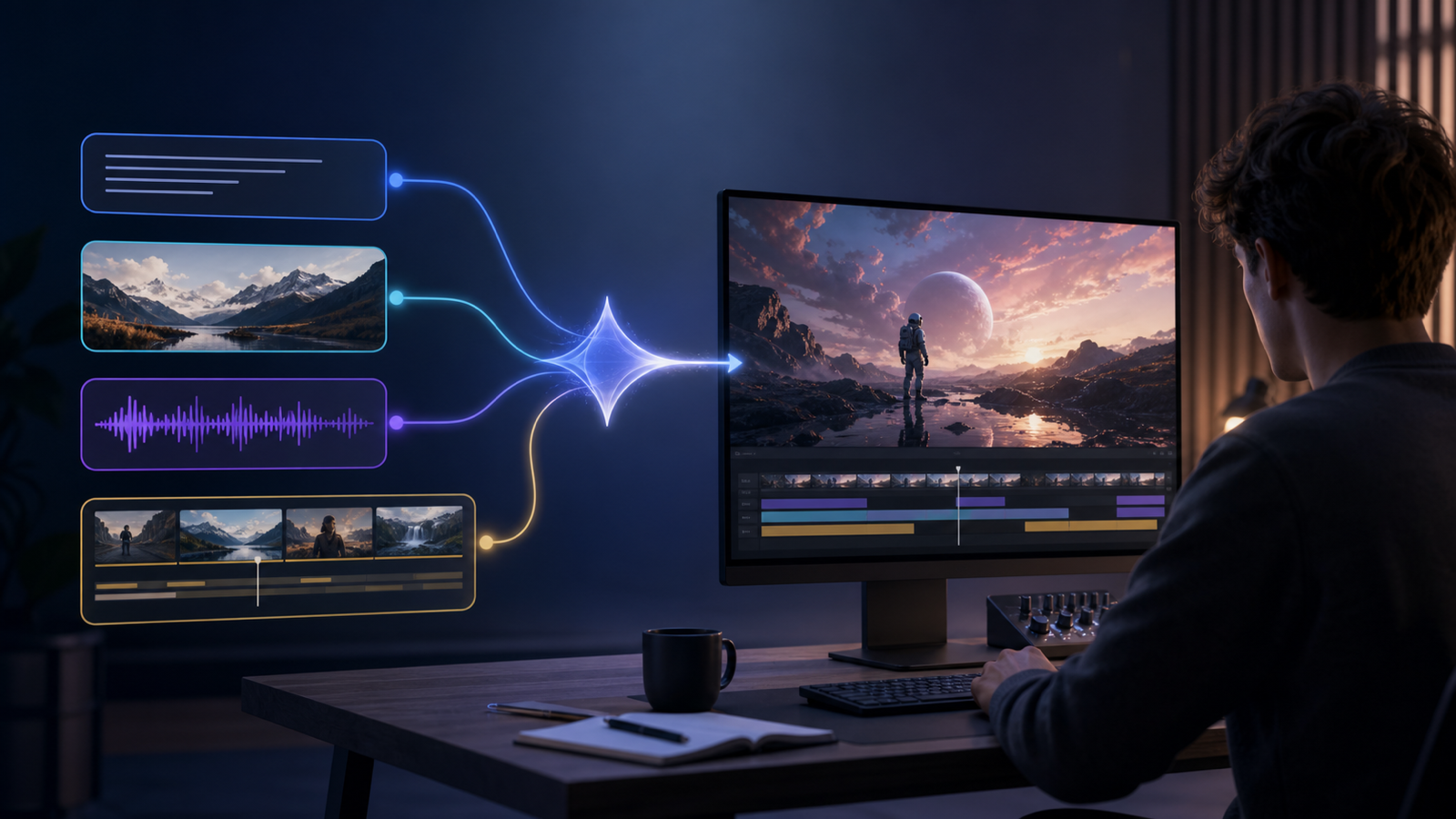
The Google Gemini Omni video workflow changes the creative loop from one-shot generation to iterative production. Instead of writing a single prompt and hoping the first clip works, creators can think in stages: generate a clip, edit it, preserve useful details, change the shot, add audio direction, and refine the result through follow-up instructions.
Google lists several features that matter for day-to-day creators:
- 10-second video creation.
- Native audio generation.
- Photo-to-video using up to five photo references.
- Video-to-video editing.
- Multi-turn editing.
- Optional AI avatar creation.
- Subscription-based access with feature availability depending on tier and geography.
This matters because most creator workflows are revision-heavy. A marketer may need to keep the product visible while changing the background. A social editor may need a more direct hook in the opening seconds. A course creator may need readable text, stable camera movement, and matching narration. Gemini Omni's promise is not only "make a clip"; it is "shape the clip with context."
Gemini Omni vs Veo 3.1: The Practical Comparison
Gemini Omni vs Veo 3.1 should be compared by workflow, not by hype. Veo 3.1 has been the known Google video reference for many users, while Gemini Omni is now presented by Google as the newer Gemini app video creation and editing experience.
| Comparison point | Gemini Omni | Veo 3.1 |
|---|---|---|
| Best-fit search intent | New multimodal video generation and editing workflow | Familiar Google Veo 3.1 video generator alternative and benchmark |
| Core workflow | Text, photos, video, and editing instructions in a conversational flow | Prompt and image-led video generation workflow |
| Official app positioning | Google says Omni replaces Veo in the Gemini app | Previously presented as the Gemini app's Veo-powered video generation model |
| Creator value | More useful when you need iteration, video-to-video edits, avatars, and mixed inputs | More useful as a stable comparison point for prompt-to-video and image-to-video quality |
| Best way to test | Use SeeVido's Gemini Omni / Veo4-style page and compare outputs | Use SeeVido's Veo 3.1 page with the same prompt or reference image |
In practice, creators should test both with the same brief. Use one product photo, one short prompt, one target format, and one revision request. Then compare how each workflow handles subject consistency, motion, audio direction, text clarity, and the number of attempts needed to reach a usable clip.
Why SeeVido AI Is the Recommended Testing Platform
SeeVido AI is useful because it gives creators a practical place to test the workflows people are searching for now. Start with Gemini Omni AI Video Generator if your goal is to explore Gemini Omni / Veo4-style creation with text, images, reference media, and editing instructions. Then compare against Google Veo 3.1 AI Video Generator if you want a more familiar Veo 3.1 baseline.
The platform is also useful beyond model pages. The general AI Video Generator is the better starting point when you are not sure whether your project should begin with text, a photo, or a reference clip. The Text to Video AI Generator is the right entry point when your idea starts as a written prompt and you want to create AI videos from text or photos for social clips, ads, explainers, or campaign drafts.
The recommendation is not that SeeVido is an official Google product. The recommendation is that SeeVido AI is a practical creator platform for testing Gemini Omni-style videos, comparing them with Veo 3.1, and building repeatable workflows from text, images, reference media, and video-to-video instructions.
A Text-to-Video Workflow for Gemini Omni Prompts
A good text to video AI for Gemini Omni prompts starts with a production brief, not a vague sentence. The model needs to understand the subject, camera, motion, audio, and editing goal.
Use this prompt structure:
- Subject: who or what appears in the clip.
- Scene: location, lighting, mood, and visual style.
- Camera: wide shot, close-up, orbit, slow push-in, tracking shot, or locked frame.
- Motion: what changes over the 10-second clip.
- Audio: ambient sound, dialogue, music mood, or sound effects.
- Reference media: photo, video, or style frame if available.
- Revision instruction: what should stay unchanged if you edit the clip later.
For example, a marketer could create AI video from prompts with audio by writing: "Create a 10-second vertical product reveal of a matte black travel bottle on a city rooftop at sunrise. Slow push-in, soft wind, subtle city ambience, premium commercial lighting. Keep the bottle shape and label stable. End with a clean frame suitable for captions."
That structure works in SeeVido's Text to Video AI Generator and also prepares creators for Gemini Omni's multi-turn editing logic.
Where Gemini Omni-Style Videos Fit in Creator and Marketing Work
An AI video generator for creators and marketers is most useful when it reduces production friction without pretending to replace creative judgment. Gemini Omni-style workflows are especially relevant for short-form content, product previews, campaign concepting, educational clips, avatar-led explainers, and rapid creative testing.
For social teams, the main benefit is speed of iteration. A creator can test three hooks, two visual styles, and one photo-to-video concept before committing to a final edit. For marketers, the benefit is creative validation: product teams can preview a launch idea, test visual tone, and gather feedback before scheduling a shoot or commissioning final assets.
The limitation is equally important. AI video still needs human review for brand accuracy, rights, safety, realism, and factual claims. If a clip includes a product, logo, person, voice, or educational statement, review it as carefully as you would review any public marketing asset.
Recommended Articles
For more context on AI video models and creator workflows, read:
- Sora 2 Is Shutting Down: The Best Video Model Alternatives for Creators in 2026
- Seedance 2.0 Review: Real-World Results, Strengths, Limits
- Seedance 2.0 Access and Pricing Guide: Where It Stands Now and What AIFacefy Adds
- How to Use Image to Video with Audio by Veo3: The Next-Gen Veo 3 AI Video Generator
- Kling 2.5: The Next Leap in AI Video and Why to Use It on AIFacefy
People Also Read
- Gemini Omni Latest Info: What Google's Rumored Video Update Could Change for AI Creators
- Gemini Omni New Model Latest Info: What We Know, What's Leaked, and What Creators Can Use Now
- Veo 3.1 Video Generation Guide: How to Create Cinematic Clips
- SeaImagine AI Text-to-Video Guide: How to Choose Models and Create Better Clips
- How to Use the AI Music Video Generator: A Detailed Guide from Song to Video
FAQ
Is Gemini Omni the same as Veo 4?
Not officially based on the sources checked for this article. Google officially uses the Gemini Omni name and says Omni will replace Veo in the Gemini app. SeeVido uses "Veo4 AI" in the title of its Gemini Omni page, so "Gemini Omni Veo4 AI video generator" is a relevant search phrase, but it should not be presented as an official standalone Google model name without direct confirmation.
What can Gemini Omni do for video creators?
Google describes Gemini Omni as a model for creating and editing videos through natural conversation. The official page lists 10-second videos, native audio generation, photo-to-video, video-to-video editing, multi-turn editing, and avatar creation.
Should I use Gemini Omni or Veo 3.1?
Use Gemini Omni-style workflows when you want mixed inputs, editing, and iteration. Use Veo 3.1 as a comparison point when you want to evaluate a familiar Google Veo video generation workflow. On SeeVido AI, testing both with the same prompt is the most useful way to compare.
Can I create AI videos from text or photos?
Yes. Use SeeVido's AI Video Generator for general creation or its Text to Video AI Generator when your starting point is a written prompt. For Gemini Omni-style videos, include scene, camera, motion, audio, and reference details in the prompt.
Conclusion
The Gemini Omni AI Video Generator story is important because it signals a shift from one-shot video generation toward multimodal, conversational editing. Google officially frames Gemini Omni as the new Gemini app video model replacing Veo, while "Veo4 release" should remain a cautious search-term framing unless Google confirms that name directly. Creators who want to test the workflow now should start with Gemini Omni AI Video Generator on SeeVido AI, compare it with Google Veo 3.1 AI Video Generator, and build prompts that support text, photo, reference media, audio, and video-to-video iteration.
Source Notes
- Google's official Gemini Omni page for feature and access language.
- Google's Veo 3.1 Gemini video generation page for the previous Veo 3.1 reference point.
- SeeVido's Gemini Omni AI Video Generator and Google Veo 3.1 AI Video Generator pages for platform-specific workflow positioning.