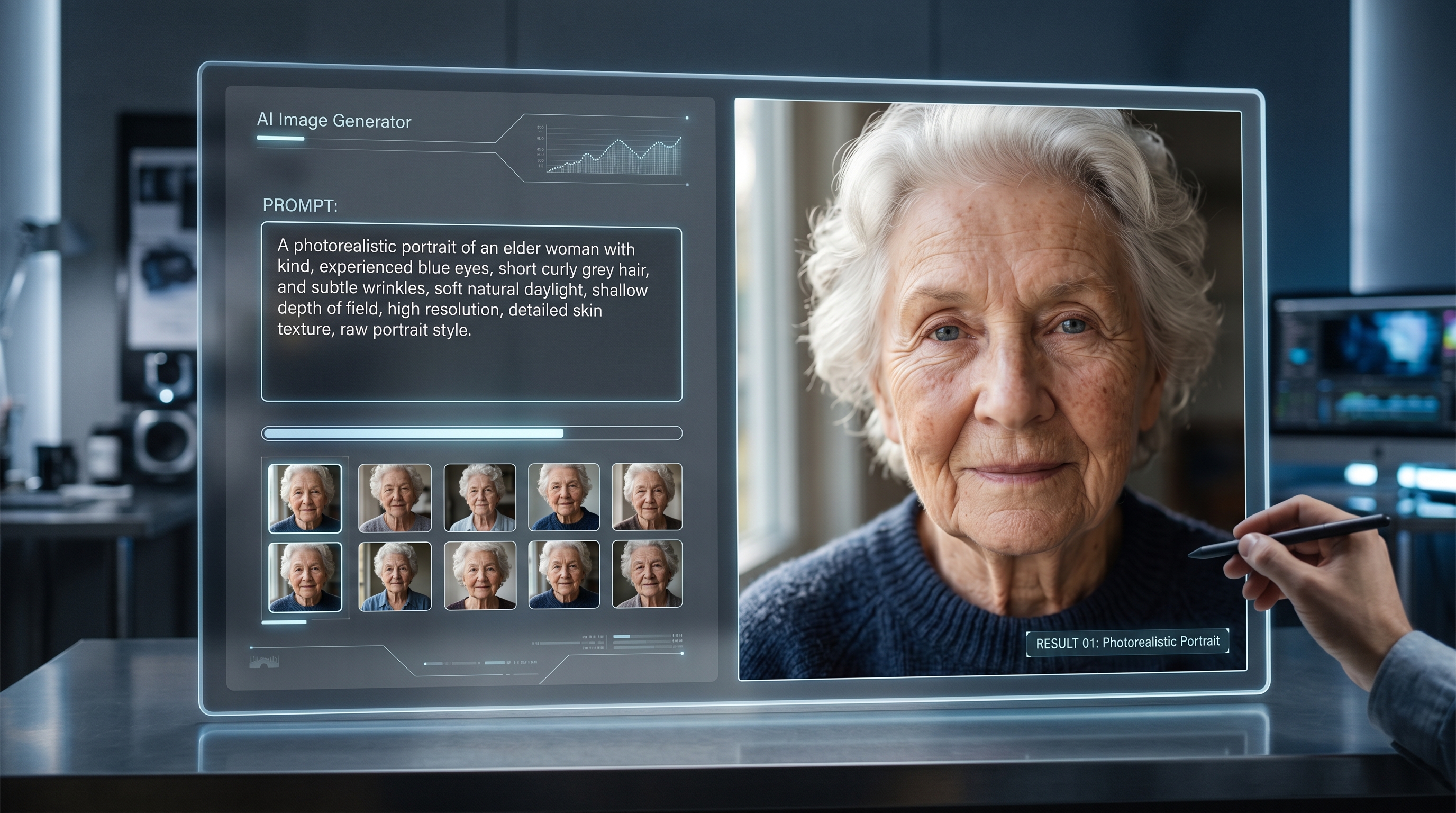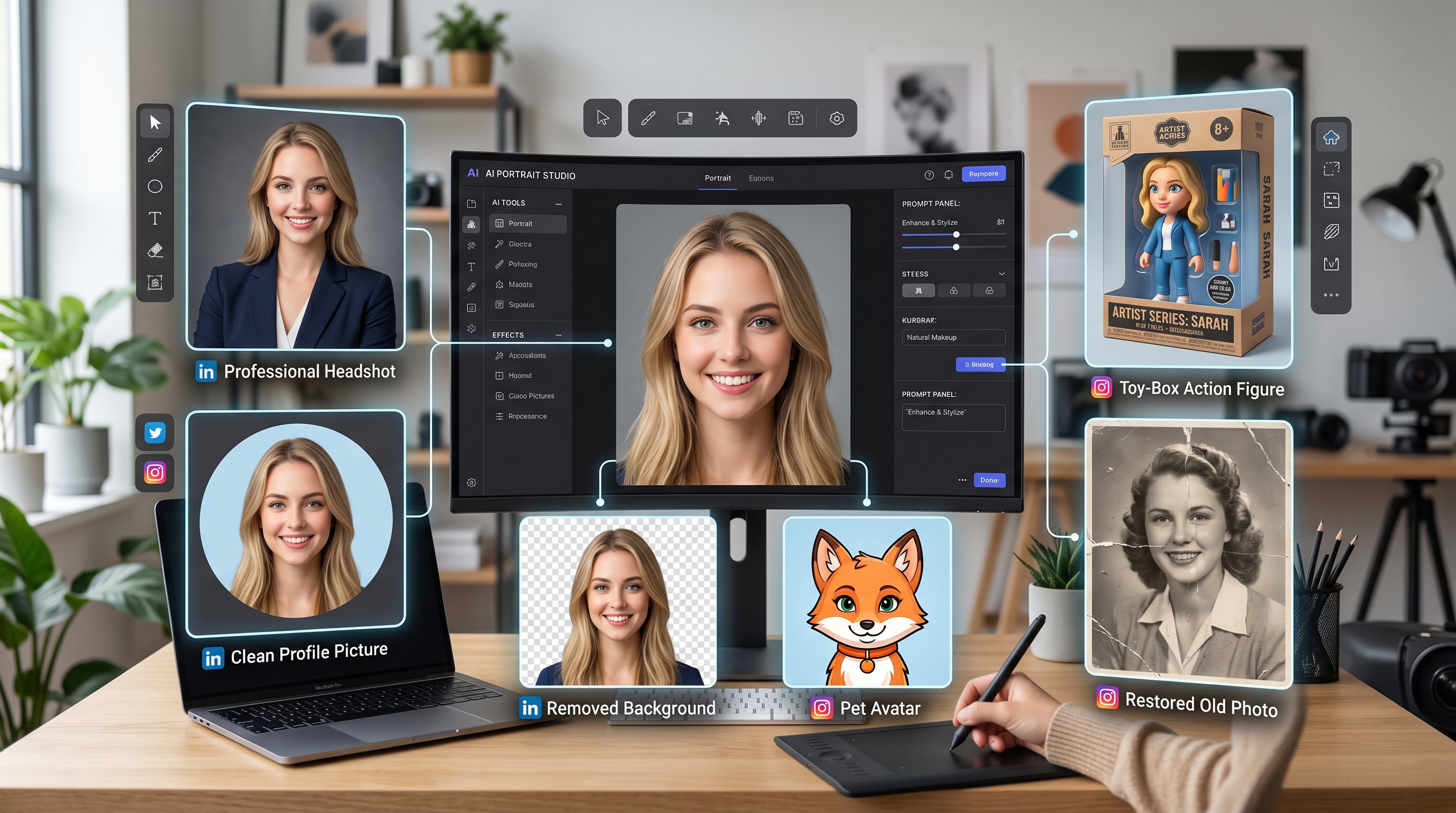
Personal photo editing is no longer just about adding a filter or smoothing a selfie. With GPT Image 2, photo editing can become a prompt-guided workflow: you describe the result you want, control the lighting and background, preserve identity, and turn one ordinary image into a cleaner portrait, a social avatar, a toy-style image, or a polished profile visual.
This guide focuses on practical GPT Image 2 photo editing for personal branding and social content. You can use the official ChatGPT Images 2.0 experience for direct image generation and editing, then use AIFacefy tools for headshots, background cleanup, action figure concepts, old-photo workflows, and image-to-prompt recreation.
The core idea is simple: use GPT Image 2 to plan and refine the visual, then use AIFacefy to make the workflow easier for specific photo tasks.
Why GPT Image 2 Works Well for Personal Photo Workflows
The reason GPT Image 2 feels useful for personal photos is control. Instead of asking an app to “make this better,” you can explain what “better” means. That may be a cleaner background, a professional headshot style, a sharper profile picture, a toy-box version of yourself, or a restored family photo with natural detail.
As an AI photo editor, GPT Image 2 is especially helpful when your photo needs direction, not just enhancement. For example, you can ask it to keep the same face and pose but change the background, improve the lighting, or create a more polished social-media composition. This makes it useful for freelancers, creators, small business owners, job seekers, and anyone who wants more intentional personal visuals.
A weak prompt says, “Make this look professional.” A stronger prompt says, “Keep my facial identity accurate, improve the lighting, use a clean studio background, crop the image for a profile picture, and keep the expression natural.” The second prompt gives the model a clear job.
How to Create Cleaner Portraits, Avatars, and Headshot Concepts
A good headshot does not need to look fake. In fact, the best AI-edited portrait usually feels realistic, balanced, and lightly improved. If you want a business portrait, start with a prompt that controls the face, clothing, light, and background.
For example:
Edit this photo into a natural professional headshot. Keep my facial identity accurate, use soft studio lighting, improve sharpness, use a neutral background, and keep the skin texture realistic.
For business and career images, an AI headshot generator can help create a cleaner portrait direction without overcomplicating the workflow. The key is to avoid asking for dramatic beauty changes. Ask for better lighting, better framing, and a more suitable background.
For social content, you can go more creative. An AI avatar generator workflow can turn a normal portrait into a more expressive creator image, profile image, or themed visual. Instead of writing “make me an avatar,” describe the platform and mood: “modern creator profile image,” “soft cinematic portrait,” “colorful social avatar,” or “clean personal-brand profile picture.”
If the final image is for LinkedIn, keep it natural. If it is for TikTok, YouTube, Instagram, or Discord, you can push the color, crop, and background a little further.
Background Removal + GPT Image 2 for Better Product and Profile Images
A distracting background can ruin an otherwise good photo. That is why combining an AI background remover with GPT Image 2 is one of the most practical workflows for personal content.
Start by removing the messy background. Then use GPT Image 2 to place the subject into a cleaner environment. This is useful for profile photos, creator thumbnails, product-in-hand pictures, store banners, and personal-brand images.
If someone searches for an image background remover free, they usually want a simple result: remove the clutter and keep the subject clean. But for better content, do not stop there. After the background is removed, prompt a new background that matches your purpose.
For example:
Replace the background with a soft warm studio backdrop. Keep the person unchanged, preserve the original pose, add realistic shadows, and make the image suitable for a professional profile picture.
For a product-style image, you might write:
Keep the product and hands unchanged, remove the room background, place the subject on a clean light-gray studio background, add soft shadows, and make it look like an e-commerce lifestyle photo.
Good background prompts should mention color, depth, lighting, and shadow. Without those details, the result may look flat or artificial.
Action Figure, Toy, Pet, and Character-Style Image Ideas
One of the most viral uses of AI photo editing is turning real photos into playful character images. This includes action figures, toy boxes, collectible avatars, pet characters, and stylized social posts.
An AI action figure generator is especially useful for this kind of content because the format is easy to understand and fun to share. A strong action figure prompt should include the person, outfit, packaging, accessories, toy material, and label style.
For example:
Turn this person into a realistic collectible action figure inside premium retail packaging. Keep the face recognizable, include accessories related to their personality, use glossy plastic toy material, clean product lighting, and a bold box design.
The same idea works for creators and influencers. A gamer can appear as a boxed streamer figure with headphones and a controller. A fitness creator can become a training-themed action figure. A pet owner can turn a dog or cat into a collectible mascot card.
These images work because they are personal but not too serious. They also give social users a reason to comment, share, or remix the idea.
How Image-to-Prompt Helps Recreate or Improve a Reference Image
Sometimes the hardest part of photo editing is not the edit itself. It is describing the style you want. That is where image-to-prompt AI becomes useful.
If you have a reference photo with good lighting, framing, or mood, an image-to-prompt tool can help translate the image into usable prompt language. Then you can rewrite that prompt for GPT Image 2.
A good AI image prompt should describe the subject, lighting, camera angle, background, color mood, and final use. It should not simply copy a reference. The better approach is to extract the useful structure and improve it.
For example, instead of saying “make it like this image,” you can write:
Recreate the same soft daylight portrait mood, similar shoulder-up framing, warm neutral background, natural expression, realistic skin texture, and clean profile-picture composition.
This gives GPT Image 2 a controlled creative direction while still allowing the result to feel original.
Old Photos, Restyled Memories, and Personal Photo Makeovers
Photo editing is not only for new profile pictures. It can also help with old memories. Old portraits may have scratches, faded tones, blur, or low contrast. With careful prompting, AI tools can help restore clarity while keeping the original person and era intact.
For restoration, avoid prompts that modernize too aggressively. Ask for repair, not replacement:
Restore this old portrait by removing scratches, improving sharpness, correcting faded tones, and preserving the original face, clothing, expression, and historical style.
This kind of workflow is also useful when combined with an old-photo restoration tool. The goal is not to turn a memory into a fake modern selfie. The goal is to make the original photo easier to see and enjoy.
Safe Prompting Tips: Keep Identity, Pose, Lighting, and Background Controlled
For personal photos, the safest and most reliable prompts are specific. Always separate identity, pose, lighting, background, style, and restrictions.
A good structure is:
Subject + goal + style + lighting + background + framing + restrictions.
Use control phrases such as “keep facial identity accurate,” “preserve the original pose,” “change the background only,” “keep the outfit unchanged,” “use natural skin texture,” and “avoid exaggerated reshaping.”
This matters because personal photo editing can easily drift. A model may change the face too much, over-polish the skin, distort the hands, or invent a background that does not match the lighting. Clear prompts reduce those problems.
For profile photos, the best result is usually not the most dramatic one. It is the one where people still recognize you, the image feels clean, and the style matches the platform. That is why GPT Image 2 and AIFacefy work best as a controlled workflow: prompt carefully, edit gradually, and use the right tool for each step.
Prompt Pack Add-On: 15 GPT Image 2 Prompts for Headshots, Background Swaps, Toy Figures, Pet Avatars, and Social Profile Images
1. Clean LinkedIn Headshot
Edit this photo into a clean professional headshot. Keep facial identity accurate, use soft studio lighting, neutral background, sharp eyes, natural skin texture, and a polished business portrait look.
2. Creator Profile Portrait
Turn this image into a stylish creator portrait with soft cinematic lighting, shallow depth of field, clean framing, subtle color contrast, and a modern social-media-ready composition.
3. Minimal Social Avatar
Create a modern avatar from this photo. Keep my face recognizable, use a simple colored backdrop, clean crop, subtle retouching, and a bold but polished profile picture style.
4. Background Cleanup for Profile Photo
Remove the busy background from this image and replace it with a clean soft-gradient studio backdrop. Preserve my pose and expression and keep the portrait natural.
5. Lifestyle Background Swap
Keep the subject unchanged and place them in a bright modern cafe setting with natural window light, realistic shadows, and a casual lifestyle portrait aesthetic.
6. Personal Brand Headshot
Transform this portrait into a personal-brand headshot with elegant wardrobe styling, soft professional lighting, muted background tones, and a polished but approachable look.
7. Action Figure Box Image
Turn this person into a realistic collectible action figure in retail packaging. Include accessories related to their personality, display the figure inside a toy box, and use premium product-photo lighting.
8. Starter Pack Toy Box
Create a toy-box style image of this person as a collectible character. Show included accessories, add a clear title header, use a neat packaging layout, and keep the face recognizable.
9. Pet Avatar Prompt
Turn this pet photo into a premium social avatar. Preserve the pet’s identity, improve lighting, simplify the background, and create a cute but polished portrait composition.
10. Pet as Stylized Character
Transform this pet into a stylized toy-like character portrait. Keep key fur patterns and expression, use a clean background, and make it suitable for a profile image.
11. Old Photo Restoration Prompt
Restore this old photo by removing scratches, improving sharpness, correcting faded tones, and preserving the original person’s identity and expression with realistic restoration.
12. Vintage Photo Modernization
Take this old portrait and create a cleaned, enhanced version with improved clarity, subtle color restoration, realistic skin tones, and respect for the original era styling.
13. Image-to-Prompt Recreation
Analyze the uploaded image and recreate it with the same overall mood, pose, framing, and lighting, but improve clarity, composition, and visual polish.
14. Profile Picture with Brand Color
Create a profile image from this portrait using a background that matches my brand colors. Keep facial identity accurate, use soft clean lighting, and make it look polished for social media.
15. Social Thumbnail Portrait
Edit this image into a high-impact thumbnail portrait with stronger lighting contrast, clean background separation, a confident expression, and a bold creator-focused visual style.
Recommended AIFacefy Tools and Workflow
For the most practical workflow, use GPT Image 2 for prompt-based visual editing and AIFacefy tools for specific personal-photo tasks.
- GPT Image 2.0 on AIFacefy — for prompt-based image generation and editing.
- AI Headshot Generator — for cleaner business portraits and professional profile images.
- Free Background Remover — for removing messy backgrounds before rebuilding a cleaner scene.
- Free Image to Prompt — for turning reference images into stronger prompt language.
- AI Action Figure Generator — for collectible toy-box, action figure, and viral social images.
- AI Image Generator — for general image creation, avatar concepts, and creative edits.
Other Models and Tools to Recommend
- Flyne GPT Image 2 AI — useful for GPT Image 2-style image generation and editing.
- Flyne AI Avatar Generator — useful for social avatars and profile-image concepts.
- Flyne AI Headshot Generator — useful for professional headshot variations.
- Flyne AI Background Changer — useful for replacing backgrounds after photo cleanup.
- Flyne AI Action Figure Generator — useful for toy-style social visuals.
- Flyne Old Photo Restorer — useful for restoring old portraits and family photos.
- Fylia AI — useful for broader AI image and video workflows.
- HeyDream — useful for image generation, background removal, photo-to-anime, and image-to-prompt tools.
- VideoWeb AI — useful for AI image and video creation workflows.
- SeaImagine — useful for image generation, image-to-image, photo-to-cartoon, and old-photo restoration.
- DreamMachine AI — useful for turning still images into short video concepts.
Related Article
- GPT Image 2 Is Here: What’s New, Where to Access It, and How Good It Is at Realistic Human Images
- AIFacefy AI Image Generator 2026: Best Models Ranked + When to Use Each
- AIFacefy Image to Video Generator 2026: One Hub for the Best Image-to-Video AI Models
- How to Use AI to Animate Photos and Bring Memories to Life
People Also Read
- GPT Image 2 Explained: What’s New, and How It Compares With Nano Banana Pro
- HeyDream AI Image Generator Guide: Best Models for Text-to-Image and Image-to-Image
- Seedream 5.0 AI Image Generator
- GPT4o Image Generation Guide: Create Stunning Art with the New GPT-4o Image Generator
- Best AI Image Models 2026: Nano Banana AI vs Seedream AI
- Nano Banana 2: Ultra-Fast 4K AI Image Model for Creators