If you’re shopping for a practical, creator-friendly text/image-to-video model, kling ai is one of the most commonly tested options right now—especially for short, cinematic clips where motion, lighting, and facial expression matter. On AI Facefy, the Kling 2.5 Turbo Pro page positions it as Kuaishou’s latest-gen video model and highlights improvements in action performance, lighting, cinematic language, and facial micro-expressions. :contentReference[oaicite:0]{index=0}
This article gives you an honest review and a reusable prompting system, plus copy/paste prompt packs you can use immediately.
What Kling AI Is (Plain-English Overview)
At its core, Kling 2.5 Turbo Pro is described as a model that turns text prompts or static images into dynamic videos, with a focus on smoother motion, stronger visual coherence, and more expressive characters. :contentReference[oaicite:1]{index=1}
The AI Facefy page also notes a “Pose-Latent Transformer” architecture plus temporal motion control aimed at reducing typical AI-video problems like stiffness and rigid movement. :contentReference[oaicite:2]{index=2}
In other words: it’s trying to behave less like a “moving slideshow” and more like a directed shot.
If you’re writing an evaluation piece, it’s fair to frame kling ai model as a cinematic-leaning short-video generator—not a full film pipeline.
Why Use It on AI Facefy (Workflow Snapshot)
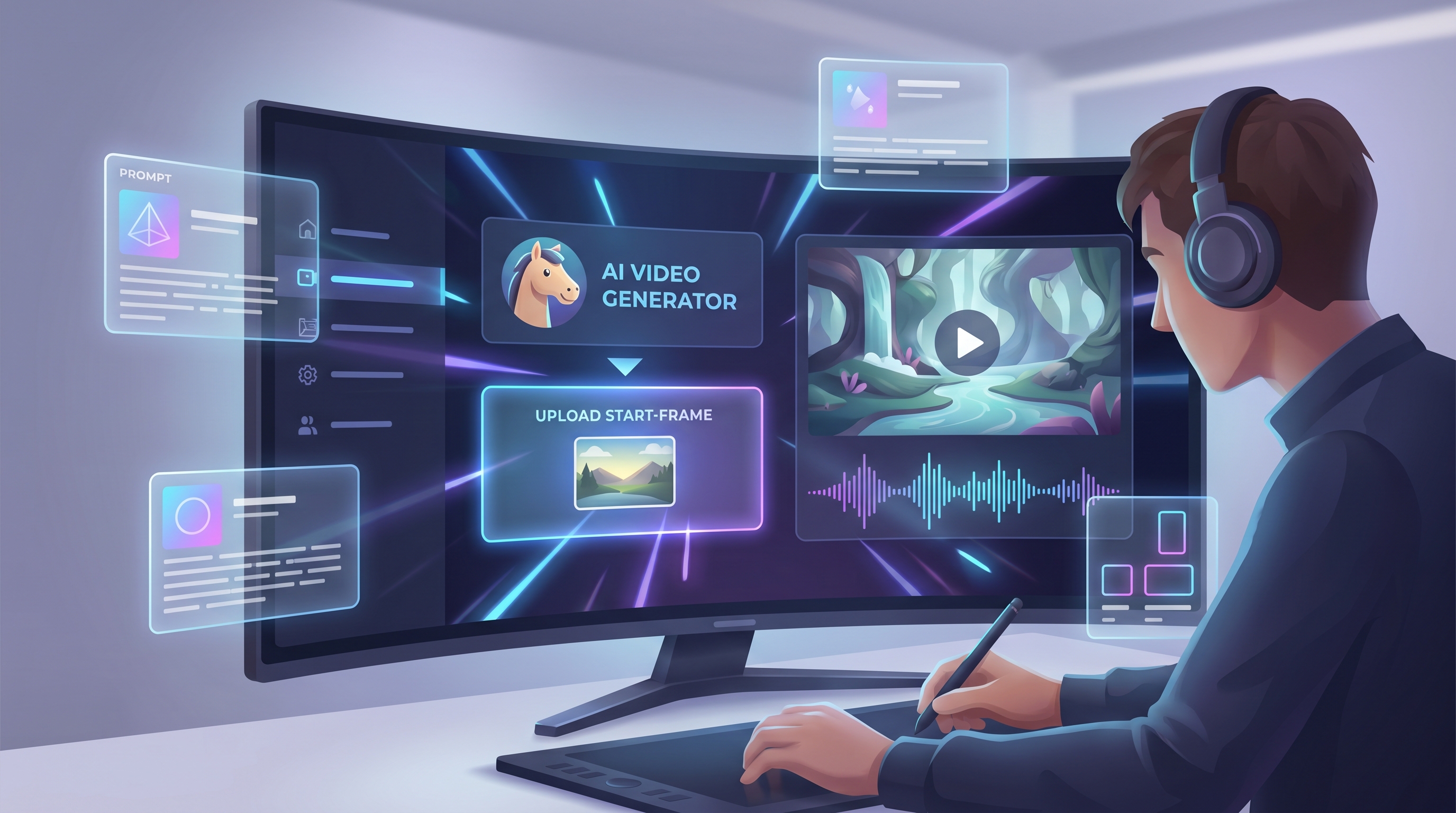
AI Facefy’s Kling 2.5 page is set up like a straightforward creator UI:
- Image Upload (drag/drop)
- Prompt
- Translate + Optimize Prompt
- Duration and Ratio
- A Public toggle
- A generation button shown as “Generate 350” on-page (likely a credit cost display) :contentReference[oaicite:3]{index=3}
That “Translate / Optimize Prompt” combo is especially useful if you’re iterating quickly or rewriting prompts from other tools. :contentReference[oaicite:4]{index=4}
If your article needs a simple recommendation CTA, it’s easy to position kling ai for video generation as “a low-friction way to test Kling 2.5 Turbo Pro without overthinking setup.”
Quick Review: Strengths vs. Weak Spots
What Kling 2.5 Turbo Pro Tends to Do Well
Based on how AI Facefy describes it, these are the core “wins” you can reasonably expect:
- Dynamic quality enhancement (smoother action logic; reduced jitter/deformation) :contentReference[oaicite:5]{index=5}
- Visual aesthetics (composition/lighting closer to “photography and painting techniques”) :contentReference[oaicite:6]{index=6}
- Multi-style support (comics, illustration, realism with better consistency) :contentReference[oaicite:7]{index=7}
- Shot/scene stability (better handling of complex shots; less background drift) :contentReference[oaicite:8]{index=8}
- Expression details (more facial micro-expressions) :contentReference[oaicite:9]{index=9}
- Semantic understanding (better with abstract/complex prompts) :contentReference[oaicite:10]{index=10}
Where You Still Need to Be Careful (Common AI Video Failure Zones)
Even with improved stability, most short-form video models can still struggle with:
- Hands and fast action close-ups
- Dense crowds and multi-character interactions
- In-scene readable text/logos
- Continuity across “multiple cuts” (unless you prompt for it very deliberately)
The practical takeaway: treat Kling as a shot generator. You’ll often get better results by creating 3–6 short shots and editing them together than by demanding a full narrative arc in one clip.
Best Use Cases (Where Kling Feels “Worth It”)
AI Facefy lists application scenarios like story narration, education, commercial promotion, and artistic experimentation. :contentReference[oaicite:11]{index=11}
Here’s how those translate into real creator workflows:
- Story narration: concept scenes, trailers, visual pitch moments :contentReference[oaicite:12]{index=12}
- Educational demonstration: simplified motion visuals for explainers :contentReference[oaicite:13]{index=13}
- Commercial promotion: short product mood clips and branded visuals :contentReference[oaicite:14]{index=14}
- Artistic experimentation: style tests (noir / watercolor / surreal) :contentReference[oaicite:15]{index=15}
If your audience is short-form creators, this is a clean place to naturally drop kling ai video as the tool for “fast, cinematic B-roll without a camera rig.”
The “Kling Formula” (Prompting Basics That Actually Work)
Kling responds best when you write prompts like a director. Use this order:
- Subject (who/what is on screen)
- Scene (where it happens + time of day)
- Camera (shot type + movement)
- Motion (what changes over time)
- Lighting (soft, dramatic, neon, golden hour)
- Style (realistic / anime / illustration / cinematic)
- Constraints (avoid flicker, keep identity consistent, no text)
Third-party prompt guides for Kling 2.5 also emphasize adding causal connectors (e.g., “falls and shatters”) to improve temporal logic. :contentReference[oaicite:16]{index=16}
You don’t have to overdo it—just make the sequence logical.
5 Prompt Templates You’ll Reuse Forever (Copy/Paste)
Template A: Cinematic Character Shot
Prompt:
A [AGE]-year-old [PERSON/CHARACTER] in [OUTFIT], standing in [LOCATION].
Camera: [close-up/medium/wide], [slow dolly-in / gentle handheld / smooth tracking].
Motion: subtle breathing, natural blinking, slight head turn, hair moves with wind.
Lighting: [golden hour / soft window light / neon rim light].
Style: cinematic, realistic, shallow depth of field, film grain, stable background.
Constraints: consistent face, no text, no logo, minimal flicker.
Template B: Product Promo Clip
A [PRODUCT] on [SURFACE], [ENVIRONMENT].
Camera: macro close-up, slow orbit, smooth motion.
Motion: light glints, subtle rotation, soft fog / bokeh background.
Lighting: studio softbox + rim light, clean highlights.
Style: commercial product video, crisp details.
Constraints: product shape stays accurate, no warped edges, no text.
Template C: Anime Action Beat
An anime-style [HERO] in [SETTING].
Camera: wide shot to medium shot, dynamic pan, speed lines optional.
Motion: quick dash, one clean strike, pause pose, cloth physics.
Lighting: dramatic contrast, stylized highlights.
Style: high-quality anime cinematic.
Constraints: avoid hand close-up, stable face, consistent character design.
Template D: Documentary / Educational Visual
A clear visual of [TOPIC] in [SETTING].
Camera: stable wide shot, slow push-in.
Motion: smooth, minimal chaos, easy to understand.
Lighting: natural daylight, clean contrast.
Style: documentary realism.
Constraints: no on-screen text, no busy background.
Template E: Surreal / Experimental Art Video
A surreal scene of [SUBJECT] transforming into [SECOND FORM] in [ENVIRONMENT].
Camera: slow float, dreamy drift, smooth transitions.
Lighting: ethereal glow, volumetric haze.
Style: surreal cinematic art.
Constraints: keep composition stable, avoid random object melting.
Ready-to-Use Prompt Packs (Pick Your Goal)
Pack 1: TikTok / Reels Hooks (7 prompts)
- Street fashion model walking through neon rain, slow dolly-in, cinematic, realistic, stable face, no text.
- Close-up espresso pour in a moody café, macro lens, slow orbit, soft highlights, commercial look.
- Athlete tying shoes at dawn, handheld feel but stable, golden hour rim light, subtle breath, cinematic.
- Cyberpunk alley reveal, wide shot, slow push-in, volumetric fog, dramatic lighting, stable background.
- Cute mascot character waving to camera, medium shot, smooth tracking, bright studio lighting, no logo.
- Floating product unboxing moment, clean studio, slow orbit, crisp detail, no warping edges.
- “Before/after” room makeover vibe: cozy living room, warm light, slow pan, stable geometry.
Pack 2: YouTube B-Roll (7 prompts)
- City skyline timelapse look (but smooth), wide shot, slow pan, cinematic haze, stable buildings.
- Hands not visible: chef plating food, focus on plate + steam, macro, shallow depth of field.
- Laptop typing scene, soft window light, medium shot, gentle camera drift, clean commercial vibe.
- Forest path morning fog, wide shot, slow push-in, realistic lighting, stable trees.
- Car interior dashboard glow at night, cinematic, slow orbit, no readable text on screens.
- Scientist lab vibe, medium shot, subtle motion, documentary realism, stable background.
- Workshop crafting scene, focus on tools + materials, slow pan, clean lighting.
Pack 3: Product Ad Clips (6 prompts)
- Skincare bottle on marble, studio softbox + rim light, slow orbit, crisp highlights, no text.
- Sneakers on rotating platform, clean background, slow rotation, accurate shape, commercial look.
- Watch close-up, macro lens, light glints across metal, slow dolly-in, stable geometry.
- Phone on reflective surface, minimalistic studio, gentle camera move, no readable screen text.
- Jewelry sparkle shot, black velvet, controlled highlights, slow orbit, no warping.
- Beverage can with condensation, moody studio, slow push-in, realistic droplets, no logo text.
Pack 4: Story Scene Shots (6 prompts)
- Establishing: medieval town street at dusk, wide shot, slow pan, cinematic lighting, stable buildings.
- Medium: traveler enters frame, cloak sways, subtle wind, stable face, realistic motion.
- Close-up: anxious expression, micro-expression detail, slow dolly-in, shallow depth of field.
- Insert: lantern flicker, warm glow, slow orbit, atmospheric fog.
- Action-lite: quick turn + step back, no hand focus, stable background, cinematic.
- Ending: wide shot pull-back, mood holds, consistent style, no flicker.
Pack 5: Style Exploration (6 prompts)
- Film noir alley, high-contrast lighting, rain reflections, slow dolly, gritty cinematic.
- Watercolor illustration village, gentle pan, soft edges, consistent painterly texture.
- Claymation-style kitchen scene, subtle stop-motion vibe, warm lighting, stable forms.
- Retro sci-fi corridor, neon rim lights, slow push-in, strong symmetry, stable geometry.
- Dreamy fantasy meadow, volumetric god rays, slow float, ethereal cinematic.
- Minimal monochrome studio portrait, softbox lighting, slow dolly-in, clean composition.
Settings Tips on AI Facefy (Duration, Ratio, Optimize)
On the Kling 2.5 page you can explicitly choose Duration and Ratio, and you also have Translate and Optimize Prompt available in the UI. :contentReference[oaicite:17]{index=17}
Practical guidance:
- Start short for prompt testing (faster iteration).
- Pick ratio based on platform:
- 9:16 for Shorts/Reels
- 16:9 for YouTube
- 1:1 for feed posts
- Use Optimize Prompt when your output is “close but not locked,” especially if the camera language feels ignored. :contentReference[oaicite:18]{index=18}
If you’re framing the tool choice in one sentence for readers, drop kling ai video generator here as the “all-in-one page where the knobs are obvious.”
Troubleshooting: Fix the 10 Most Common Kling Problems
- Flicker in background → add “stable background, no drifting objects, consistent lighting.”
- Face drift / identity changes → “consistent face, same identity, keep facial features unchanged.”
- Over-chaotic motion → “slow, smooth movement, controlled camera, minimal scene changes.”
- Hands look wrong → avoid hand close-ups; reframe: “hands out of frame” or “focus on face/product.”
- Too many objects melting → simplify: fewer props, cleaner environment, strong composition callout.
- Camera ignored → specify one camera move only (dolly-in OR pan OR orbit).
- Style drift → repeat style twice: “watercolor illustration… consistent watercolor style throughout.”
- Subject loses detail → “crisp subject detail, shallow depth of field, high clarity on subject.”
- Text/logos appear garbled → explicitly: “no text, no logo, no watermark.”
- Prompt feels “literal but dull” → add lighting + lens language: “35mm cinematic lens, rim light, soft haze.”
Final Verdict: Should You Use Kling AI for Video Generation?
If you want a short-form video model that leans cinematic—with better motion coherence, lighting control, and more expressive faces—then kling ai on AI Facefy is an easy “yes” as a starting point. The platform itself describes improvements in motion, lighting, style stability, and semantic understanding, and the page UI is designed for fast iteration (prompt tools + duration/ratio controls). :contentReference[oaicite:19]{index=19}
If your project depends on perfect hands, dense multi-character choreography, or long multi-scene continuity, you’ll still want to treat Kling as a shot generator and build the final piece through editing.
FAQ
What improvements does Kling 2.5 have versus previous versions?
AI Facefy highlights improvements in action performance, lighting effects, cinematic language, and facial expression details, plus better shot/scene stability and semantic understanding. :contentReference[oaicite:20]{index=20}
What inputs can it use?
The Kling 2.5 page describes generating video from text or static images. :contentReference[oaicite:21]{index=21}
What are the most reliable prompt ingredients?
Camera + motion + lighting + constraints. And keep your “story” inside one coherent shot rather than a whole film in one prompt.