🕸️ Introduction: Turn Your Selfie into a Spooky Work of Art
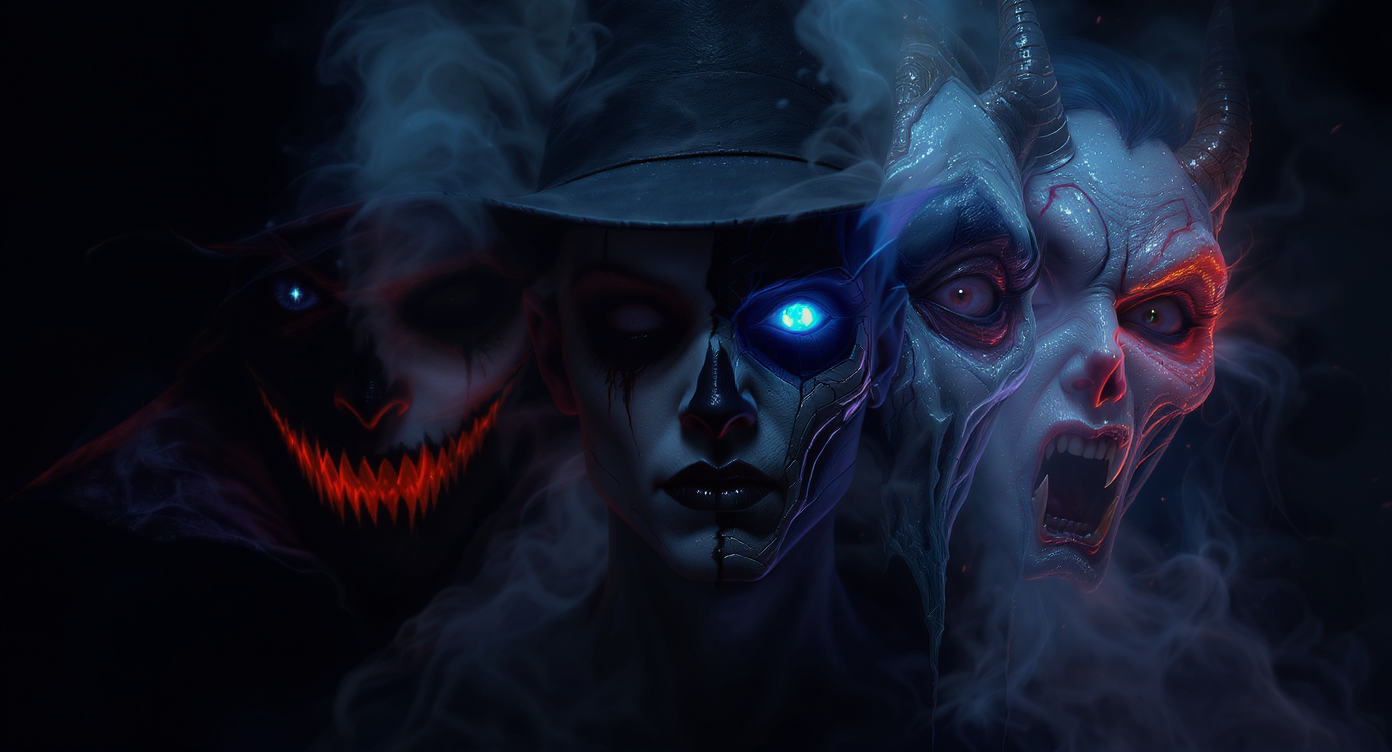
Halloween 2025 is all about personalized transformation, and thanks to AI tools like AIFacefy, creating your hauntingly perfect look is easier than ever. Instead of relying on costumes alone, you can now generate Halloween portraits and avatars that blend realism with fantasy — perfect for profile pictures, social posts, or digital invites.
With AIFacefy’s advanced models — Nano Banana AI and AI Headshot Generator — anyone can design their Halloween identity in minutes. Whether you want to look like a cyberpunk vampire, a ghostly noble, or a playful pumpkin spirit, AIFacefy lets you bring your imagination to life with no design skills required.
🧠 Understanding the Two AIFacefy Tools for Halloween
🎨 Nano Banana AI — Creative Halloween Transformations
Nano Banana AI is built for artistic freedom. It’s ideal for transforming ordinary photos into eerie, cinematic visuals — blending colors, lighting, and textures to match your Halloween vision.
How it works:
- Visit Nano Banana AI.
- Upload your portrait photo in the Image Upload box.
- Type your prompt in the Prompt field — describe your spooky transformation idea.
- Select a ratio (1:1 is best for profile use).
- Click Generate (40 credits) to create your Halloween image.
Pro Tip: Turn off the “Public” option if you want to keep your avatar private.
Best for:
- Artistic and stylized portraits
- Halloween posters or social media icons
- Creating character-based concepts like “Vampire Queen” or “Pumpkin Lord”
👤 AI Headshot Generator — Realistic Halloween Avatars
The AI Headshot Generator brings your idea closer to reality. While Nano Banana focuses on creativity, this model emphasizes detail and lifelike rendering. It’s perfect for turning your spooky concept into a believable Halloween avatar.
How it works:
- Go to AI Headshot Generator.
- Upload your photo or Nano Banana-generated image.
- Write a Halloween prompt — for example, “haunted portrait with subtle fog.”
- Choose your ratio (1:1 for avatars).
- Pick your background:
- Solid Color for a clean, professional vibe.
- Background for themed environments like castles or graveyards.
- Click Generate (50 credits) to produce your avatar.
Best for:
- Realistic yet supernatural Halloween headshots
- Themed professional photos for social or business use
- Digital ID-style portraits with a horror twist
🎃 Step-by-Step: From Selfie to Halloween Avatar
Step 1: Prepare Your Base Photo
- Use a well-lit, front-facing image with neutral expression.
- Avoid busy backgrounds — they confuse the AI.
- If possible, wear neutral clothing (the AI will add costumes and effects).
Step 2: Create the Style with Nano Banana AI
Head to Nano Banana AI to build your first transformation.
Try prompts like:
- “A haunting ghost queen surrounded by fog and candlelight.”
- “Cyberpunk vampire with glowing eyes and silver hair.”
- “Ancient witch illuminated by moonlight in a forest.”
- “Pumpkin spirit with carved smile and firelight glow.”
You can experiment with multiple versions — adjust atmosphere, colors, or intensity. Save your favorite ones before moving to the next step.
Step 3: Generate a Realistic Avatar with AI Headshot Generator
Now it’s time to turn your creative image into a lifelike headshot.
- Upload your selected Nano Banana output or a clean portrait.
- Write a refined prompt such as:
- “Dark-themed professional headshot, subtle haunted lighting.”
- “Elegant vampire portrait with faint smile and foggy backdrop.”
- “Ghostly yet graceful headshot, cinematic lighting.”
- Select a background option and ratio, then hit Generate.
The result? A professional-quality image that blends human realism with spooky atmosphere.
Step 4: Combine, Compare & Polish
For the best results, combine both models:
- Use Nano Banana AI for color grading, mood, and fantasy elements.
- Use AI Headshot Generator for structure, facial realism, and focus.
Compare your outputs, then finalize the one that best represents your Halloween identity.
👻 Halloween Prompt Inspiration
| Theme | Example Prompt | Tool |
|---|---|---|
| 🧛 Vampire Lord | “Vampire noble in crimson cape, golden eyes, candlelight background.” | Nano Banana AI |
| 🪞 Ghost Bride | “Ethereal bride in white mist, glowing veil, haunted atmosphere.” | AI Headshot Generator |
| 🧙 Witch in Shadows | “Elegant witch under moonlight, purple magic aura, cinematic lighting.” | Nano Banana AI |
| 🧟 Office Ghoul | “Corporate-style headshot with eerie shadows and pale eyes.” | AI Headshot Generator |
| 🤖 Tech Demon | “Glitched cyber demon with metallic skin and neon veins.” | Nano Banana AI |
Pro Tip: Start with one of these themes, then tweak with your own style — like “retro,” “glamorous,” or “playful horror.”
🕯️ Pro Tips for the Perfect Halloween Image
- Keep prompts short, visual, and emotional.
- Bad: “Turn me into a cool zombie with crazy background, red eyes, bats, full moon, lightning.”
- Good: “Zombie with decaying skin and glowing red eyes under stormy sky.”
- Always include a lighting element: “foggy,” “moonlit,” “neon,” “candlelight.”
- Mention texture: “velvet,” “bone,” “smoke,” “metallic.”
- Use the same face photo across both tools for consistency.
- Experiment with different ratios — 1:1 for avatars, 9:16 for Reels or Shorts.
🧙♀️ Use Cases & Creative Ideas
- Social Media Avatars: Replace your profile picture with your “Halloween alter ego.”
- YouTube or Twitch Intros: Animate your avatar using other AIFacefy video tools.
- Team Events or Offices: Create coordinated spooky headshots for everyone.
- Digital Posters: Combine several AI-generated portraits into a Halloween collage.
- Cosplay Planning: Visualize potential makeup and costume looks before Halloween night.
🧛 Bonus: Add Motion or Voice
Once your static avatar is ready, make it move!
AIFacefy supports additional tools like AI Talking Face and Photo Animation, which let your avatar blink, smile, or even deliver a creepy Halloween message.
Try prompts like:
- “Animate my vampire avatar saying ‘Happy Halloween!’ with eerie smile.”
- “Make my ghostly portrait blink slowly with flickering candlelight.”
These clips make excellent short-form content for TikTok, Instagram, or YouTube.
🧵 Common Mistakes to Avoid
- ❌ Uploading dark or blurry photos — always use clear, bright base images.
- ❌ Overcomplicating prompts with too many adjectives.
- ❌ Forgetting to specify Halloween-related mood words.
- ❌ Ignoring ratios — wrong dimensions may crop your face oddly.
- ❌ Skipping backups — AI generations are unique; save every version you love.
💡 Quick Fix: Think like a movie director. Give your AI a character, a setting, and a vibe — and let it handle the rest.
🦇 Why AIFacefy Is the Best for Halloween
Unlike ordinary photo editors, AIFacefy combines creative imagination and realistic rendering in one platform.
- 🧠 Smart Recognition: Keeps your facial structure consistent even through heavy transformations.
- 🪄 Flexible Styles: From anime to cinematic to hyperreal — you choose the tone.
- 🎨 Powerful Customization: Works with both images and detailed prompts.
- 💻 Browser-Based Convenience: No software, no downloads — generate directly online.
- 🎃 Built for Expression: Whether you want to look scary, elegant, or otherworldly, it captures your vibe perfectly.
AIFacefy gives creators, influencers, and everyday users the ability to own their Halloween identity digitally.
🕯️ Conclusion: Summon Your Halloween Self
Halloween is no longer just about costumes — it’s about digital transformation.
With Nano Banana AI and AI Headshot Generator, you can create a spooky, fun, or elegant version of yourself in just minutes — all from a single photo.
✨ From ghostly portraits to lifelike haunted avatars, AIFacefy lets you celebrate Halloween your way — artistically, instantly, and uniquely.
Start your transformation today:
- 🎨 Stylize with Nano Banana AI: aifacefy.com/nano-banana-ai
- 👤 Polish with AI Headshot Generator: aifacefy.com/ai-headshot-generator
🧛 Be your own Halloween legend — the AI way.