If you’ve generated AI video long enough, you already know the pattern: every new model promises “better quality,” but what creators actually need is repeatability. The clip has to look good and you need to be able to make it again—same character, same vibe, same camera language—without burning hours on rerolls.
如果你使用 AI 视频生成工具的时间足够长,你一定已经看出规律:每一代新模型都在宣传“画质更好”,但创作者真正需要的是可重复性。画面得好看,同时你要能再做一次——同样的角色、同样的氛围、同样的镜头语言——而不是花掉好几个小时不停重刷。
That’s exactly why the buzz around Kling 3.0 feels different. It’s being framed as a bigger leap in workflow quality, not just sharper frames. At the same time, Kling 2.6 is already a highly practical choice today—especially if you care about consistency and motion control.
这正是为什么围绕 Kling 3.0 的讨论听起来不太一样。它被描述为对“工作流质量”的一次大幅跃迁,而不仅仅是画面更清晰。与此同时,Kling 2.6 在今天已经是一个非常实用的选择——尤其当你在乎连贯性和动作控制时。
In this article, we’ll cover the latest status around the Kling 3.0 AI video generator, how it compares with Kling 2.6, and why a platform like AIFacefy is a strong place to build your workflow right now.
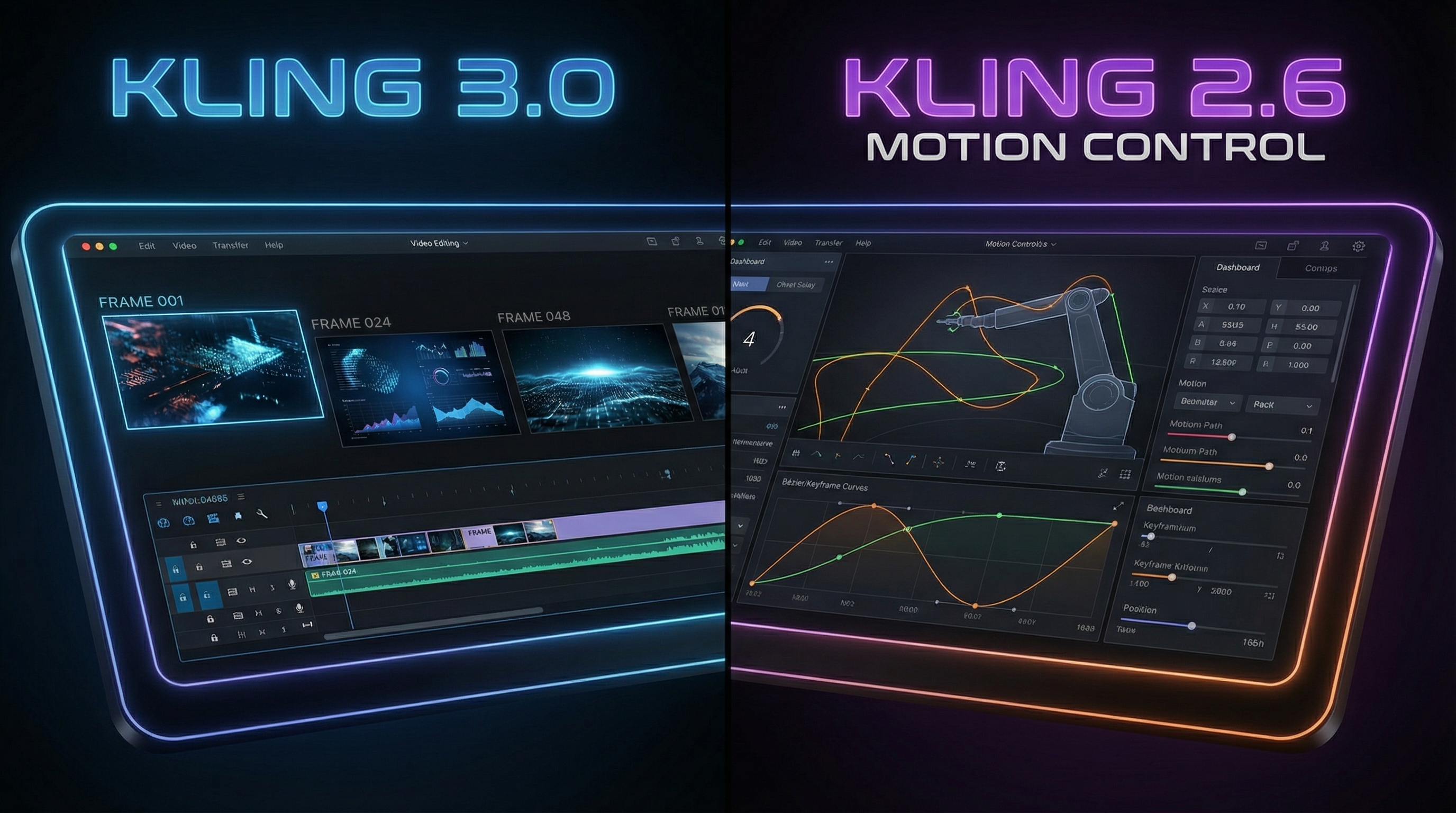
在这篇文章里,我们会介绍 Kling 3.0 AI 视频生成器的最新进展,它与 Kling 2.6 的对比,以及为什么像 AIFacefy 这样的平台,是当前搭建你视频工作流的优选之地。
And yes—when you’re ready to create today, the recommendation is straightforward: use Kling 2.6 AI video generator on AIFacefy.
没错——如果你现在就想开始创作,建议非常直接:在 AIFacefy 上使用 Kling 2.6 AI video generator。
1) Kling 3.0 status: “coming soon” vs “available”
1)Kling 3.0 的状态:“即将上线” vs “已经可用”
You’ll see the phrase Kling 3.0 model coming soon everywhere. In practical terms, that usually means a staged rollout:
你会在各处看到 Kling 3.0 model coming soon(Kling 3.0 模型即将上线) 这样的说法。落到实际,这通常意味着分阶段发布:
-
first, announcement + limited early access
-
then, incremental availability on official apps
-
finally, wider integrations on third-party platforms
-
首先,官方发布公告 + 小范围的早期内测
-
接着,逐步在官方应用中开放使用
-
最后,扩展到更多第三方平台的集成
So the key takeaway is this: Kling AI 3.0 video generator may exist as a new generation, but availability depends on where you’re trying to use it. Some creators get access early; others won’t see it for a while.
所以关键点是:Kling AI 3.0 视频生成器可能已经作为新一代模型存在,但能不能用,取决于你在哪个渠道上尝试。 有些创作者会较早获得权限,另一些可能要等一段时间才能看到。
This is also why it’s smart to plan your workflow like a professional: keep creating with something stable today, and be ready to upgrade instantly when 3.0 shows up.
这也是为什么你需要像专业人士那样规划工作流:现在用稳定的模型持续创作,一旦 3.0 上线到你所在的平台,马上就能平滑切换。
2) What is Kling 3.0 (plain English)
2)Kling 3.0 是什么(用大白话解释)
Kling 3.0 AI video generation refers to the next major iteration of the Kling 3.0 video model.
Kling 3.0 AI 视频生成指的是 Kling 3.0 视频模型的下一次重大升级版本。
If you strip away the hype, Kling 3.0 is expected to focus on two big creator needs:
如果把宣传滤掉,Kling 3.0 被普遍期待会重点解决创作者的两个核心需求:
-
stronger control (camera, motion, prompt-following)
-
better continuity (less identity drift, fewer “melting” artifacts)
-
更强的可控性(镜头、动作、对文案/提示词的执行力)
-
更好的连续性(更少的人物“走样”,更少“融化感”伪影)
Like prior generations, it will likely be used in two core modes:
和前代一样,它大概率会在两种核心模式下使用:
-
Kling 3.0 text to video: you describe a scene and it generates a clip.
-
Kling 3.0 image to video: you animate a reference image into a moving shot.
-
Kling 3.0 text to video:你用文字描述一个场景,它生成一个视频片段。
-
Kling 3.0 image to video:你提供一张参考图片,它把这张图“动起来”变成视频镜头。
If you’ve ever tried to build a multi-shot sequence and had the character’s face shift every time you rerolled, you already understand the real value proposition.
如果你曾经尝试做多镜头连续画面,但每次重生成角色的脸都变了一点,你已经非常明白真正需要提升的是什么了。
3) Kling 3.0 new features: what creators should actually look for
3)Kling 3.0 新特性:创作者真正应该关注什么
A lot of feature talk is marketing talk. The best way to evaluate Kling 3.0 new features is to translate them into outcomes you can test.
很多“新功能”都是营销话术。评估 Kling 3.0 新特性 的最好方式,是把它们翻译成你能实际测试的结果。
A) Identity stability (the make-or-break upgrade)
A)人物身份稳定性(成败关键的升级)
For creators, the most important upgrade is usually: does the model keep the same person the same person?
对创作者来说,最重要的升级几乎总是:模型能不能让同一个人,始终是“同一个人”?
Identity drift shows up as:
“身份漂移”通常表现为:
-
faces subtly changing
-
hair/wardrobe morphing
-
props shifting shape
-
background elements warping in and out
-
脸部细节悄悄变化
-
头发/服装不断变形
-
道具形状忽大忽小或变样
-
背景元素时有时无、时直时弯
So if Kling 3.0 is a real leap, you’ll feel it here first.
所以如果 Kling 3.0 真的是一次飞跃,你会最先在这点上感受到。
B) Motion realism (less float, more weight)
B)动作真实感(少“漂浮”,多“重量”)
When motion looks “floaty,” it’s usually because the model doesn’t understand weight transfer, foot contact, or object persistence.
当动作看起来“飘飘的”,通常是因为模型没有理解重量转移、脚步落地或物体持续性。
A real improvement means:
真正的提升意味着:
-
steps land on the ground
-
hands don’t warp mid-gesture
-
cloth moves like cloth
-
脚步踏在地面上,有“踩实”的感觉
-
手在做动作时不会中途扭曲变形
-
布料像布料那样自然摆动
C) Camera control (the cinematic factor)
C)镜头控制力(电影感的关键)
Creators chasing Kling 3.0 cinematic video aren’t just asking for “film grain.” They want camera behavior that feels directed:
追求 Kling 3.0 cinematic video(Kling 3.0 电影感视频) 的创作者,并不只是要“胶片颗粒感”。他们要的是带有“导演感”的镜头行为:
-
predictable push-ins and pans
-
fewer random zooms
-
smoother acceleration
-
可预期的推进、平移
-
更少莫名其妙的拉近拉远
-
镜头运动加速/减速更顺滑
D) 1080p expectations: what that keyword usually means
D)关于 1080p:这个关键词通常意味着什么
The phrase Kling 3.0 1080p AI video can mean different things across platforms:
Kling 3.0 1080p AI video 这个说法,在不同平台上可能代表不同含义:
-
truly native 1080p output
-
lower-res generation that’s clean enough to upscale
-
export settings that deliver a 1080p file
-
真正原生的 1080p 输出
-
先用较低分辨率生成,再通过足够干净的画质进行放大
-
只是导出设置里给你一个 1080p 的文件
The creator goal is the same: a clip that stays sharp and stable once you publish.
但创作者的目标始终一样:发布出来的视频要足够清晰稳定,不糊、不乱。
4) Kling 2.6: the practical baseline you can use today
4)Kling 2.6:你今天就能用的实用基线
While Kling 3.0 is the “future,” Kling 2.6 is the “get work done” model for a lot of creators.
虽说 Kling 3.0 是“未来”,但对许多创作者来说,Kling 2.6 才是“用来干活”的那一代。
Here’s why:
原因在于:
-
it’s documented, mature, and easier to troubleshoot
-
it produces consistently strong results with the right prompting
-
and most importantly, it can pair well with motion-guided workflows
-
它已有相对完善的说明和经验,模型成熟,问题更易排查
-
在合适的提示词下,它能持续输出稳定、质量可靠的结果
-
更重要的是,它可以很好地配合动作引导型工作流
That last point matters because motion guidance is often the difference between “cool demo” and “repeatable content pipeline.”
最后一点非常关键,因为有没有动作引导,往往决定你做出来的是“一次性炫酷 demo”,还是“可重复的内容生产流水线”。
On AIFacefy, Kling is offered through a motion-focused workflow. If you want a reliable starting point, go here:
在 AIFacefy 上,Kling 是通过一个以动作为核心的工作流来提供的。如果你想要一个可靠的起点,可以从这里开始:
And because your SEO requirements include linked keyword variants, here are the exact phrases (all pointing to the same page):
考虑到你的 SEO 需求需要不同关键词锚文本,下面这些短语都指向同一页面:
- Kling 2.6 text to video
- Kling 2.6 image to video
- Kling 2.6 AI video generation
- Kling 2.6 video model
- Kling AI 2.6 video generator
5) Kling 3.0 vs Kling 2.6: the comparison that actually helps creators
5)Kling 3.0 vs Kling 2.6:对创作者真正有用的比较方式
Instead of comparing “quality” in a vague way, let’s compare what matters in real production.
与其笼统地说“画质更好”,不如从真实生产中真正重要的维度来比较。
Output realism and stability
输出的真实感与稳定性
-
Kling 2.6: reliable, strong default quality, easier to get consistent results with a good prompt template.
-
Kling 3.0 (expected): better identity stability, smoother motion, fewer artifacts.
-
Kling 2.6:可靠、默认质量已经很强,配合好的提示词模板,很容易得到一致的结果。
-
Kling 3.0(预期):人物更稳定、动作更顺畅、伪影更少。
Control and workflow maturity
控制力与工作流成熟度
-
2.6 has a stable “known” behavior: you learn its quirks once and reuse your prompts.
-
3.0 will likely be more powerful, but early versions can be unpredictable.
-
2.6 的行为模式已经比较“固定”:你学习一次它的脾气,以后调用同一套提示词就行。
-
3.0 很可能更强,但早期版本往往会有一些不可预期的表现。
Text-to-video
文生视频(Text-to-video)
-
Kling 3.0 text to video is expected to improve prompt-following and cinematic camera behavior.
-
Kling 2.6 text to video remains a dependable choice for fast ideation and production.
-
预计 Kling 3.0 text to video 会在指令执行力和电影化镜头运动上有明显提升。
-
Kling 2.6 text to video 目前依然是快速出创意与量产的稳定选择。
Image-to-video
图生视频(Image-to-video)
-
Kling 3.0 image to video is expected to get better at preserving identity and reducing “morphing.”
-
Kling 2.6 image to video is already a strong approach today when you start with a clean reference image.
-
预计 Kling 3.0 image to video 会在角色保持、减少“变形/融化”方面表现更好。
-
当你有干净的参考图时,Kling 2.6 image to video 已经是非常不错的选择。
Should you switch immediately when 3.0 appears?
一旦 3.0 上线,是否要立刻全部切换?
If you create regularly, don’t flip your whole pipeline overnight. Instead, run a controlled test pack:
如果你是高频创作者,不要一夜之间把整条流水线全部换掉。更稳妥的做法是做一组“对照测试包”:
-
a character close-up
-
a full-body walk shot
-
a product hero shot
-
a fast motion shot
-
an environment reveal
-
人物特写镜头
-
全身走路镜头
-
产品主视角“英雄镜头”
-
快速动作镜头
-
环境揭示镜头
Compare stability, motion, and prompt-following. If 3.0 wins clearly, migrate.
对比稳定性、动作质量和对提示词的执行力。如果 3.0 明显胜出,再考虑整体迁移。
6) Recommended setup on AIFacefy: start with Kling 2.6, upgrade cleanly to 3.0
6)在 AIFacefy 上的推荐方案:用 Kling 2.6 起步,平滑升级到 3.0
Here’s the strategy that keeps you productive and future-ready.
下面这套策略,既保证你现在能高效出片,又让你随时可以无缝拥抱新模型。
Step 1: Build a repeatable prompt “spine”
第一步:先搭一根可复用的提示词“骨架”
Use a structure like this:
可以参考这样的结构:
-
Subject
-
Action
-
Setting
-
Camera (one move)
-
Lighting
-
Style
-
Constraints
-
主体(Subject)
-
动作(Action)
-
场景/环境(Setting)
-
镜头(Camera,限定一个主要运动)
-
光线(Lighting)
-
风格(Style)
-
约束说明(Constraints)
This “spine” is model-agnostic. When Kling 3.0 becomes available, you keep the spine and only adjust small details.
这根“骨架”是与模型无关的。等 Kling 3.0 上线时,你保留整体结构,只微调细节即可。
Step 2: Use motion control when you need consistency
第二步:需要稳定时,就用动作控制
Motion guidance reduces chaos.
动作引导可以显著减少“随机性”。
If your content involves dance, action, or recurring characters, a motion-guided workflow usually saves rerolls and keeps output consistent.
如果你的内容包含舞蹈、打斗、激烈运动,或者固定角色反复出现,那么基于动作引导的工作流通常能帮你省掉大量重刷,同时保证输出更一致。
This is exactly why AIFacefy’s Kling workflow is a smart starting point:
这正是 AIFacefy 的 Kling 工作流很适合作为起点的原因:
Step 3: Save your “shot pack”
第三步:保存你的“镜头包”
Build a reusable library of shot prompts:
构建一组可反复调用的镜头提示词库,例如:
-
cinematic close-up push-in
-
medium walking profile
-
wide establishing reveal
-
product hero turntable
-
电影感人物特写推进镜头
-
中景侧面走路镜头
-
广角环境建立+揭示镜头
-
产品旋转展示“英雄镜头”
Once you have this pack, you can generate faster and keep quality consistent.
一旦有了这套“镜头包”,你能明显加快生成速度,同时保持整体质量水平稳定。
7) Prompt templates you can use today (and reuse for Kling 3.0 later)
7)即插即用的提示词模板(现在可用,未来可复用到 Kling 3.0)
Template A: Cinematic character shot
模板 A:电影感人物镜头
A young adventurer in a weathered cloak under warm lantern light in a rainy alley. Subtle breath visible in cold air. Medium close-up. Camera slow push-in. Soft rim light, cinematic lighting, realistic motion. Stable face and outfit, no morphing, no extra limbs.
一位身披旧斗篷的年轻冒险者站在雨夜的小巷里,头顶昏黄灯笼光。寒冷空气中能看到淡淡的呼吸雾。中近景构图,镜头缓慢推进。柔和的边缘光,电影级布光,动作真实自然。保持面部和服装稳定,无变形,无多余肢体。
Template B: Environment reveal
模板 B:环境揭示镜头
Foggy mountain temple at dawn. Wide establishing shot. Camera gently cranes upward to reveal the roofline and drifting mist. Calm atmosphere, cinematic composition, realistic movement. No warped architecture, no melting details.
黎明时分的山间古寺,云雾缭绕。广角建立镜头,镜头缓缓上仰,逐渐揭示屋檐轮廓和飘动的雾气。整体氛围宁静,构图具有电影感,运动自然真实。建筑不变形,无融化感细节。
Template C: Product hero shot
模板 C:产品“英雄镜头”
A minimalist product hero shot on a clean studio background. Slow controlled camera pan. Softbox lighting, crisp reflections, commercial cinematic look. Keep edges sharp, no warped logos, no text artifacts.
极简风格的产品主镜头,纯净的影棚背景。镜头缓慢、可控地平移。柔光箱打光,反射清晰,整体呈现商业级电影质感。保持边缘锐利,无 Logo 变形,无文字伪影。
8) Troubleshooting: fast fixes for common failures
8)故障排查:常见问题的快速补救
“My character’s face changes”
“我的角色脸老变”
-
reduce motion intensity
-
move closer (close-up / medium shot)
-
add constraints: “stable face, stable identity”
-
switch to image-to-video for identity control
-
减少动作强度
-
拉近镜头(特写 / 中景)
-
在提示中加上限制:如“面部稳定、身份稳定”
-
换用图生视频(image-to-video)来加强人物控制
“Camera is chaotic”
“镜头乱飞”
-
specify one camera move only
-
remove extra camera language
-
reduce action complexity
-
只指定一种镜头运动方式
-
删除多余、矛盾的镜头描述词
-
降低场景和动作复杂度
“Motion looks floaty”
“动作看起来很飘”
-
add grounded cues: foot contact, weight shift
-
slow the action
-
keep camera movement gentle
-
在提示里加入“脚步与地面接触、有重量转移”等描述
-
降低动作节奏和幅度
-
镜头运动保持柔和、缓慢
“Objects melt or warp”
“物体变形/融化”
-
simplify props and background
-
shorten the clip
-
reduce motion and scene complexity
-
简化道具和背景元素数量
-
缩短视频时长
-
降低运动和场景复杂度
9) FAQ
9)常见问答
Is Kling 3.0 available right now?
Kling 3.0 现在已经能用了吗?
Kling 3.0 is being rolled out in phases. Depending on platform access, you may see it sooner or later.
Kling 3.0 正在分阶段上线中。具体能不能用、什么时候能用,要看你所在的平台接入进度。
What should I use today?
那我今天应该用哪个?
If you want reliable output right now, start with Kling 2.6 AI video generator on AIFacefy.
如果你现在就想要稳定可控的产出,建议从 AIFacefy 上的 Kling 2.6 AI video generator 开始。
Text-to-video vs image-to-video—what’s better?
文生视频和图生视频,哪个更好?
-
Text-to-video: faster ideation, more creative exploration.
-
Image-to-video: better identity and composition control.
-
文生视频(Text-to-video):更适合快速发想创意、探索各种风格。
-
图生视频(Image-to-video):更适合控制人物形象和画面构图。
Most creators use image-to-video for characters, mascots, product shots, and anything that needs consistency.
多数创作者会在角色、IP 形象、产品镜头以及一切需要高一致性的内容中使用图生视频。
10) Recommended AIFacefy tools to pair with Kling (with anchored links)
10)适合与 Kling 搭配使用的 AIFacefy 工具(含锚文本链接)
If you’re building a full content workflow, Kling is only one piece. Here are a few AIFacefy pages that pair well with it:
如果你想搭一整套完整的内容工作流,Kling 只是其中一环。下面这些 AIFacefy 工具都很适合和它搭配:
-
AIFacefy Text to Video — for quick concept tests and prompt-first ideation.
-
AIFacefy Image to Video — for more control over identity and composition.
-
AI Dance Video Generator — great for motion-heavy content and a “stress test” for your prompts.
-
AI Handshake Video Generator — quick interaction clips that perform well on social.
-
AIFacefy Text to Video —— 用于快速测试想法、以提示词为核心的创意探索。
-
AIFacefy Image to Video —— 用于对人物形象、画面构图有更高控制需求的场景。
-
AI Dance Video Generator —— 非常适合动作剧烈的内容,也是测试你提示词“极限”的好工具。
-
AI Handshake Video Generator —— 快速生成社交平台表现不错的互动类短视频。
Conclusion: the smartest way to approach Kling 3.0 without pausing your output
总结:在不停机的前提下,聪明地拥抱 Kling 3.0
The Kling 3.0 AI video generator is the next model generation to watch, especially if it truly delivers stronger stability, more cinematic camera control, and cleaner 1080p-ready output.
Kling 3.0 AI 视频生成器 是下一代值得重点关注的模型,尤其是在它真的能带来更强稳定性、更电影化的镜头控制以及更干净的 1080p 级输出的前提下。
But you don’t need to wait.
但你完全没必要为了它停下当下的创作。
If you want to ship content today, the practical move is to build your workflow on Kling 2.6 AI video generator in AIFacefy—save your prompt spine, build a reusable shot pack, and get comfortable with a repeatable process.
如果你现在就想持续输出内容,最务实的做法,是基于 AIFacefy 上的 Kling 2.6 AI video generator 搭建工作流——先把提示词“骨架”固化下来,再整理出一套可复用的镜头包,让整个流程变得可重复、可维护。
Then when Kling 3.0 video model becomes available where you create, you’ll be ready to upgrade in minutes instead of starting over.
这样一来,当 Kling 3.0 video model 在你所在的平台上线时,你只需要几分钟就能完成升级,而不是从零推倒重来。